


How to Download Unibet Mobile App


Unibet is a properly registered sportsbook that's licensed by the UK Gambling Commission and has a solid presence in many countries. Of course, we expect an established bookie like this to have a mobile app, and we weren't disappointed. What most people don't realize, though, is that there is more than one Unibet app. In its quest to serve you well, the bookmaker has separate dedicated applications for casino, poker, and sports.
Our focus in this article, however, is on the Unibet sport app, which is downloadable as an Android APK and also available on the Apple Store. We'll show you how to get the right one for your device in this guide and also how to properly navigate the bookmaker to get the best experience.
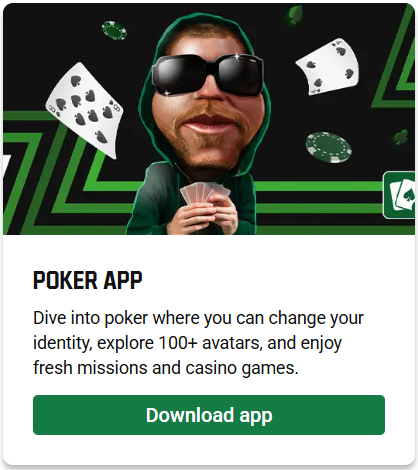
Download Poker App by Unibet
If you want everything poker without any distractions at all, then the Unibet poker app is the perfect choice for you. You get to play No Limit Texas Hold’ em, and Pot Limit Omaha cash games. Plus, there are lots of tournaments and events there, including HEXA-PROS jackpot sit&go events. You can download this software from the bookmaker's website if it sounds like your kind of thing.
Unibet Casino App
The Unibet casino app is everything you think it is, and more. It's a haven for slots, card table games, live dealers and game shows, and instant games. You'll get all of this on the official site, but there are also sections for the bookie's other offerings there. With this casino-only software, you can enjoy focused and smooth gameplay.
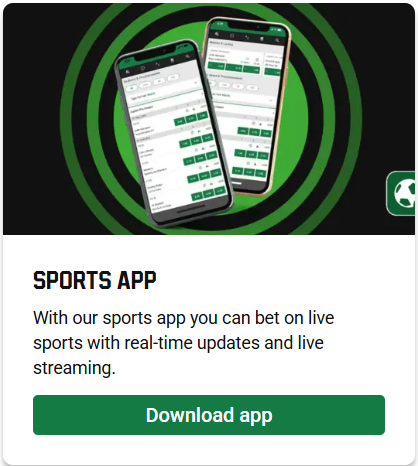
Unibet Sports App Overview
Exploring the Unibet mobile app for sports betting is the major reason we wrote this article. We found everything available on the sports section of the bookie here, plus a few exciting extras, like getting live notifications on your phone. It's available for Android and for iOS, easy to install, and doesn't take up too much storage on your device. Additionally, it's free to install. We're going to look more deeply into the features, betting markets, coverage, and bonuses later in this guide. But first, let's show you how to handle the downloading process like a pro.
How to Download Unibet APK
Unlike the case with most bookies, there's no Unibet APK. The sportsbook specially designed an application for Android devices that is available on the Google Play store. It's very lightweight and uncomplicated to install. Instead of just going to look for it on the Store without knowing if it's available for your region, we recommend following the secure link on the site, and here's how it's done:
- Open the sportsbook's official website on your phone browser;
- Navigate to the Apps section on the menu list and tap on the Sports App. Note that it'll take you directly to the Play Store since there's no Unibet APK to download;
- Once you're in the Store, click on the Install button underneath it to start the downloading and installation process;
- Now you can tap on the Unibet app on your Android screen to access your account.
Minimum Android Requirements
We checked out what specifications your phone needs to have for it to run the Unibet app for Android without experiencing lags or unnecessary crashes. The information we gathered is compiled in the table below.
| Parameter | Requirement |
| Operating System | Android 6.0 or higher |
| Free Storage Space | At least 70 MB (200 MB recommended) |
| RAM | Minimum 1 GB |
| Internet Connection | Stable Wi-Fi or mobile data |
| Processor | 1.2 GHz or faster |
Unibet App Setup for iOS
The setup process for the Unibet iOS software is similar to that of Android because you can choose to do it from the site if you want or just go to the App Store. Check out the procedure for downloading it using any of these methods here:
- Go to the bookie's website on your Safari browser;
- Open the Apps page from the menu and choose the sports software to be taken to the App Store through a direct link. You can also visit the Store and manually search for the sportsbook;
- Click on Get and wait for the Unibet iPhone app to finish installing. Then you can launch it and start wagering.
Minimum iOS Requirements
This bookmaker certainly has system requirements that your iPhone or iPad must meet before running its mobile application. Read this table carefully to know what your device requires before you initiate the Unibet iOS app download.
| Parameter | Requirement |
| Operating System | iOS 16.0 or higher |
| Free Storage Space | At least 350 MB (500 MB recommended) |
| RAM | Minimum 1 GB |
| Internet Connection | Stable Wi-Fi or mobile data |
| Compatible Devices | iPhone 8 or newer |
Latest Unibet App Version
All apps, including the Unibet sportsbook app, are always being improved, which means that newer versions are released when necessary. The beautiful thing about updating this software, though, is that they're both available on the stores for Android and iOS. This makes the entire process snappy. You can get the latest version in just two steps:
- Go to the Updates tab on your phone's Store and check if Unibet’s icon is there;
- If it is, tap on the Update box to get the improved software on your device.
Unibet Mobile Site Overview
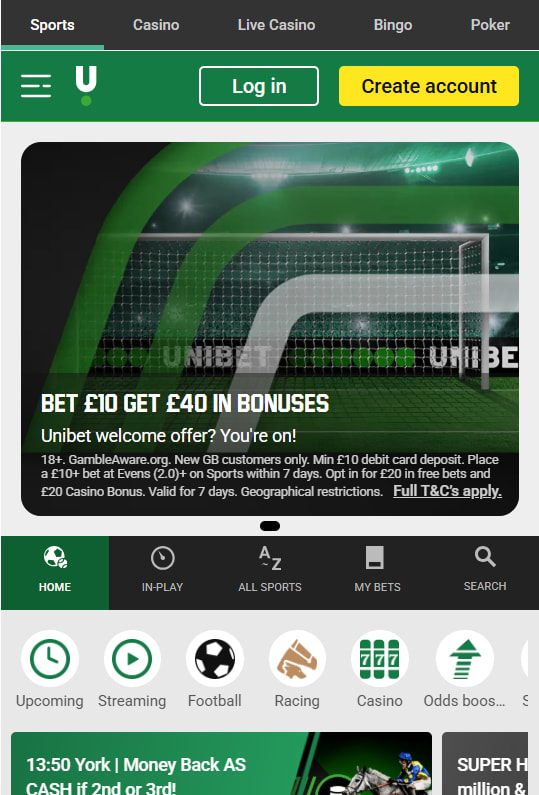
Punters who like betting on the go will definitely enjoy the experience on the Unibet mobile site for many reasons. Top of our list is that it offers the same fantastic features that you'll get on the desktop website. The most noticeable difference is that the mobile version is optimized to fit your phone screen perfectly, so you won't be getting the larger display that desktop offers.
If you're using a device that didn't meet the specifications to run the application, then the mobile website is an amazing alternative. Now, you're getting the same flawless navigation on your phone without ever needing to bother with downloading and updating.
App vs Mobile Version
Even though the Unibet download process is a breeze through the park, and the software has pretty high ratings on both the Google Play and the App Store, you may still find it difficult to choose between it and the mobile version of the website. We've made this table just for you so you can see what each of these options offers you at a glance.
| Application | Mobile site |
| App-exclusive bonuses for some sports | Only regular offers are available |
| Takes up to 350 MB of storage space | Runs fully in your browser |
| Functions only on devices with certain specifications | Works great for older phones |
| Provides instant alerts | You can't receive notifications |
| Exclusive features like Watch and Bet for iOS | All other regular features on the sportsbook are available here |
| Requires download the Unibet app from the store | Just open your browser and play |
| You must update to the newest version regularly | Always up-to-date |
Promotions Available in the App
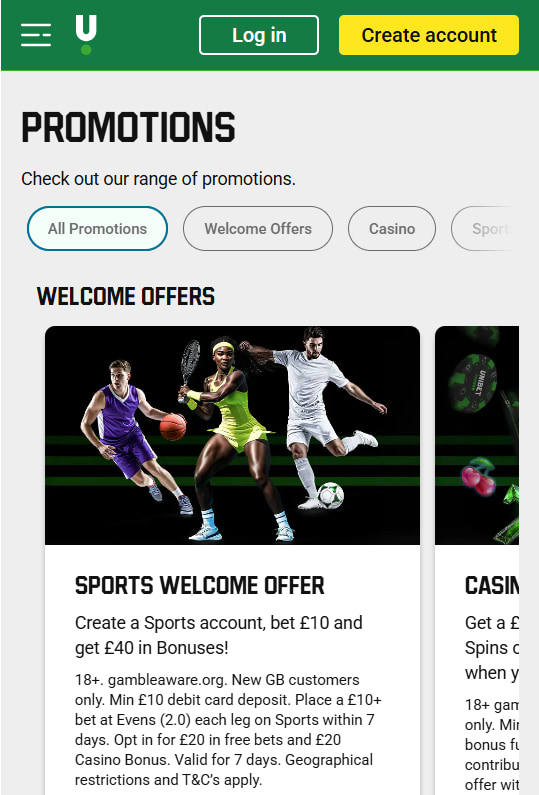
Getting sweet promotions and offers is an excellent reason to consider the Unibet app download. In addition to regular bonuses, including a welcome package, you'll also get occasional app-exclusive offers for certain sports on the software. However, there's no special bonus just for downloading the application. Take a look at what you can claim once you start betting with this bookmaker.
Welcome Bonus
You must be a new signup on Unibet before you can qualify to claim this offer. It's a £40 bonus that requires you to deposit £10 via debit card and bet the same amount on odds of 2.0+ within 7 days of registering to qualify. You'll get £20 in casino bonus money and £20 in free bets.
ACCA Boost
The sportsbook offers you 3 ACCA boosts per day on horse and greyhound racing when you become a regular player. Note that when using this bonus, you must not bet more than £20 on any of the ACCA selections you use the offer on.
Bet Builder Uniboost
You get one Uniboost bet builder every day as a regular bettor on Unibet. Simply put, put a minimum of 3 selections of prematch bet builder bets with combined odds of 5.0 on your ticket, and stake a maximum of £10 on it if you qualify.
Same-Race Multi
UK and Irish horse racing fans can get a boost on their ticket from 11am every race day. Just ensure that your slip has at least 6 runners for the same race and a maximum of 4 selections per bet.
Registration Process
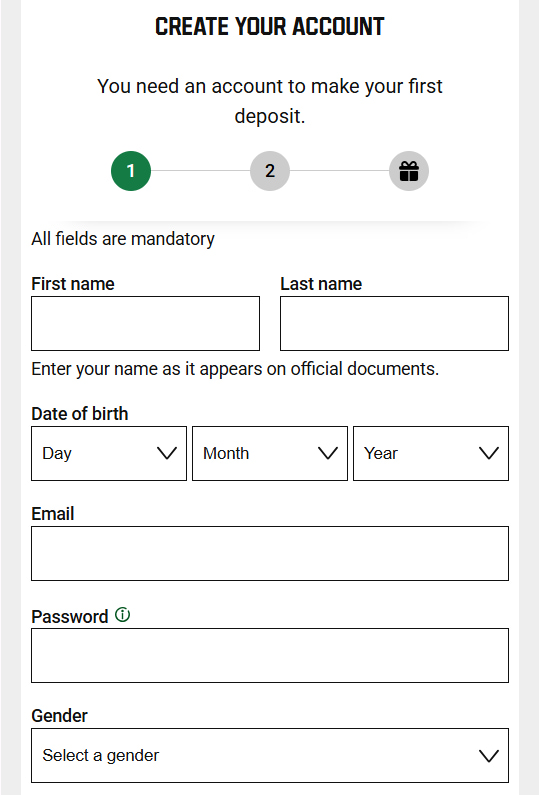
If you want to complete the registration process on the Unibet application, you can do so by following the step-by-step guide below.
- Get the software from the Google Play or Apple Store;
- Open it and hit the Sign Up button up top;
- Type in your first and last name, email address, a secure password, date of birth, and gender on the first part of the form;
- On the second page, enter your address, City, ZIP code, mobile number, and preferred currency;
- Next choose how you'd like to receive notifications of bonuses;
- Confirm that you're 18 years or older;
- Complete the registration and start wagering.
How to Bet on Sports in the App
Placing your first bet on the Unibet sports betting app is exciting and also easy. Just follow these directions:
- Scroll through the in-app homepage to find a sport you want to bet on;
- Select an event from the available ones;
- Choose your betting markets and odds;
- Add it to your bet slip and enter a stake amount;
- Hit the Place Bet button, and wait for your bets to settle.
App Capabilities
Now to the part you've been impatiently waiting for: what are the things that you can do when you download the Unibet application for mobile sports betting? We used the sportsbook software extensively to see what is obtainable there, and here's what we discovered:
- Easily set up your account or log in to an already existing one. The interface for doing this is the same as the site, so you don't need to learn to navigate it afresh.
- Enjoy one-click sports betting, especially with features like Watch and Bet on the iOS software that allows you to place instant live bets while streaming a match.
- Get access to casino and lottery games on the sports application by using a shortcut link that takes you directly to the casino software quickly and seamlessly.
- Quickly manage your betting funds by depositing to your betting wallet using multiple speedy payment options, including bank cards, e-wallets, and bank transfers. You can also withdraw your winnings in as little as 15 minutes in-app.
- Get instant notifications for match fixtures, results, promotions, and bonus offers. If the platform rolls out a new feature, you'll also be one of the first to know thanks to the mobile alerts.
- View your betting and transaction history by visiting the settings section, where you can see all your past deposits and withdrawals. You can also check your gambling behaviour in the betting history tab to see how much you're spending.
- Enjoy a user-friendly interface that's designed to fit your device screen and is also multilingual. You can change the language from English to French, Spanish, German, Italian, and many more if you wish.
- Unibet's apps are secured with the highest SSL encryption, PIN codes, and biometric security to assure you that your data and transactions are safe and secure. The platform also uses globally and regionally trusted payment methods for extra safety.
- You'll get 24/7 customer support from professional and helpful agents through email and live chat in-app. A phone number support channel is also available to provide instant help but only for 18 hours daily.
Which Sports Are Offered?
Our expert team searched every nook and cranny during their time at this bookmaker to see what sport offerings are available via the application on Unibet. We're confident that both newbie and experienced gamblers will like what we found in the sports and eSports sections.
Sports
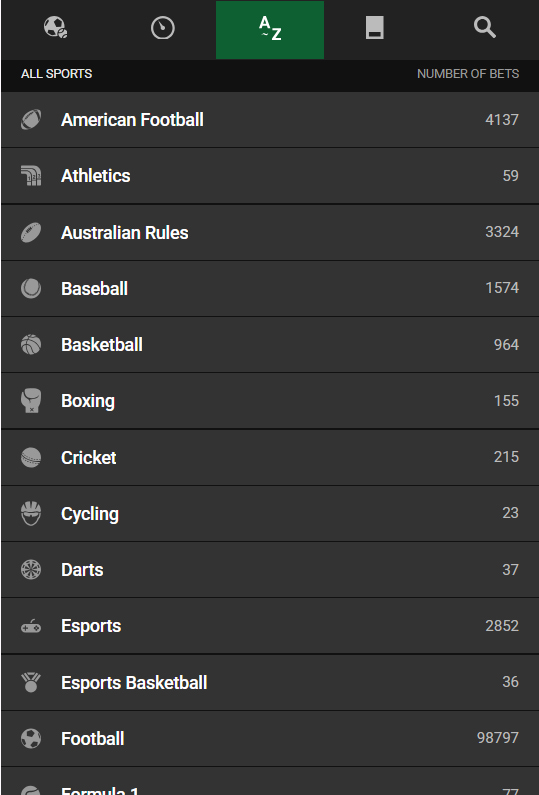
Minus the fabulous collection of not-so-popular ones that we found on the Unibet sports app, there were over 30 major sports available here. We found major competitions like the Premier League and UEFA Champions League for football, Wimbledon and the US Open for tennis, the NBA for basketball, and the Grand National and Cheltenham Festival for horse racing.
eSports
Unibet's software covers lots of eSports competitions and tournaments all year round. Popular options include CS:GO, League of Legends, FIFA, Valorant, Call of Duty, Dota 2, and many more. You can find everything in this section by tapping on eSports in the menu bar.
Stream Matches and Bet Live
Live streaming is available in-app thanks to Unibet TV, where you can watch ongoing games for many sports, including cricket, horse racing, football, basketball, tennis, darts, golf, eSports, ice hockey, and so much more. The only qualification you need to enjoy this service is to have funds in your betting account or to have made at least one stake in the past 24 hours. You get live commentary along with the streaming service, which makes the entire experience all the more exciting.
It also goes without saying that you'll be getting fabulous in-play betting services here because the bookmaker has a lot of features to facilitate that, starting with The Visualization. It's a live scoreboard that shows you the dynamic statistics of an ongoing match when you're betting live. You can use it to see the position and movement of the ball on the pitch, attacks, offshore, cards given, and number of corners and goals. With this feature, you'll only make the most informed wagers for all ongoing games.
Another one is the Action Betting tool, which lets you place lightning-fast bets on the next event in a live game. You get to watch the action happen on your screen and receive your winnings in mere seconds. Live betting markets where you can place this kind of bet on the bookie usually have a red lightning bolt icon beside them. Finally, the cashout tool is there for you if you want to receive your winnings from a current bet without waiting to see the outcome.
Payments and Withdrawals in the App
We talked earlier about how you can make instant deposits and withdrawals on Unibet's applications because the bookie has partnered with trusted payment brands. What's left to say is that the process for doing this is also quite simple as well. Payment options for both depositing and withdrawing are Visa, MasterCard, Electron, Maestro, Trusty, Neteller, Skrill, PayPal, bank transfer, and Apple Pay.
Before you carry out any transaction, it's better to get the KYC verification exercise done first; then you can both find your account or cash out by doing this:
- Find the cashier section in the menu bar;
- Select Deposit or Withdraw, depending on which one you wish to do;
- Choose a payment method;
- Enter the amount (starts at a minimum of £5 for most transaction methods);
- Provide your payment information;
- Receive your funds within minutes.
Note that most options on the bookie take about 15 minutes to complete transactions, but sometimes, it may take up to 3 days to receive your money.
Need Help? Contact Unibet
The following channels are available in-app to offer you support in English, Spanish, French, Italian, etc. when you need it:
- Live chat
- Email via info@unibetsupport.com
- Phone number: +44 203 725 3789
Our Verdict on the Unibet App
We only have positive accolades to give at the end of our Unibet app review for several reasons. The software is sports-focused, provides exclusive bonuses, has a thoughtfully equipped live streaming and betting service, and has glowing reviews from other bettors. If you doubt us, go on your device store and see the high 4.0+ rating for the betting platform’s apps.
FAQ
How do I install the Unibet app on my phone?
The easiest way to install the application is to visit Unibet's website, go to the Apps page, select the sports option, and tap on the appropriate Store icon for your device. Once you're in the store, just use the Download button to get the software installed on your phone.
Can I use my existing Unibet account in the app?
Yes, you can use your existing account in-app. Simply go to the Log In page, enter your email and password on the form, and you can enter your dashboard.
How can I bet on sports via the mobile app?
Once you're logged into your account, you'll see most of the fixtures for the day on the homepage; select one under your sport of choice, then tap on it to add odds to your bet slip. Enter the amount you want to stake and place the bet.
What types of sports betting are offered in the app?
Every kind of sport and betting market available on Unibet's website is available in the mobile programme. You can wager on major sports like football and basketball, as well as eSports titles.
How do I update the Unibet app?
When you want to update any of Unibet's apps, just go to the Apple or Play Store on your phone, check to see if an update is available for it, and use the Update button to get the latest version.
- New Sportsbook Bonuses
- 1xBet Sign-Up Bonus
- Paddy Power Promotions
- Melbet Welcome Bonus
- Betwinner Welcome Offer
- How 1xBet Promo Codes Work
- 1Win Promo Code for New Users



