


Afropari Account Login


Afropari serves a fresh betting experience to African bettors and is quickly becoming popular in the igaming market. Whether you're there for football, cricket, eSports, or casino games, the Afropari login process gives instant access to a well-rounded experience for both new and experienced players.
This guide will show you how to sign into, register, and do other things on your Afropari account.
Log Into Afropari
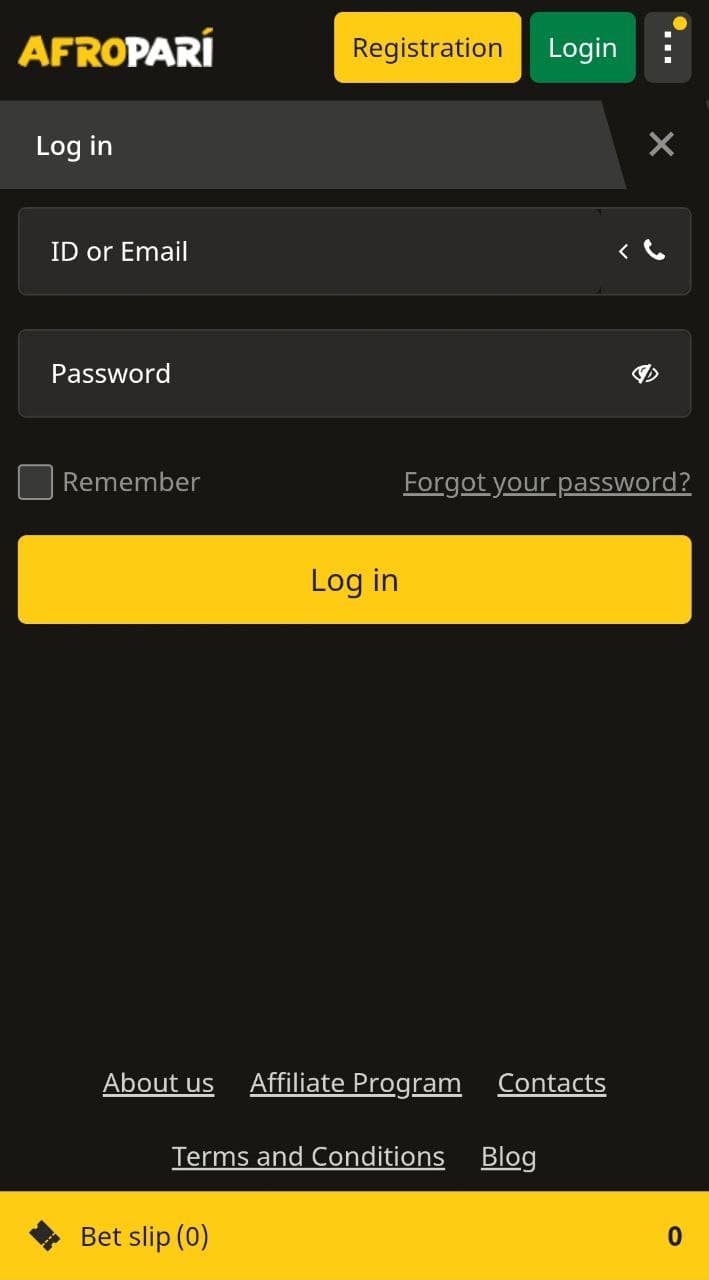
It is swift, smooth, and secure to log into your Afropari account. You can do this using your email address, username/ID, or phone number, depending on what you used when you registered.
Here’s a quick step-by-step guide to log in:
- Open your browser and visit Afropari.
- Click on the green Login button, which you'll find easily at the top of the homepage.
- Provide your email, ID, or phone number, along with your password.
- Tap Login and you’ll be directed to your personal dashboard instantly.
Sign In Using the Afropari App
The Afropari sign in process on the app is secure and takes just a few taps – just as on the mobile version.
Here’s how to sign in using the app:
- Open the installed mobile app
- Tap the black Login button at the top
- Enter your email/ID/phone number and password
- Tap Login again to complete sign-in
- On future logins, use saved credentials for faster access
The app remembers your details (if permitted), allowing quicker sign-ins with autofill.
How to Download the Afropari App
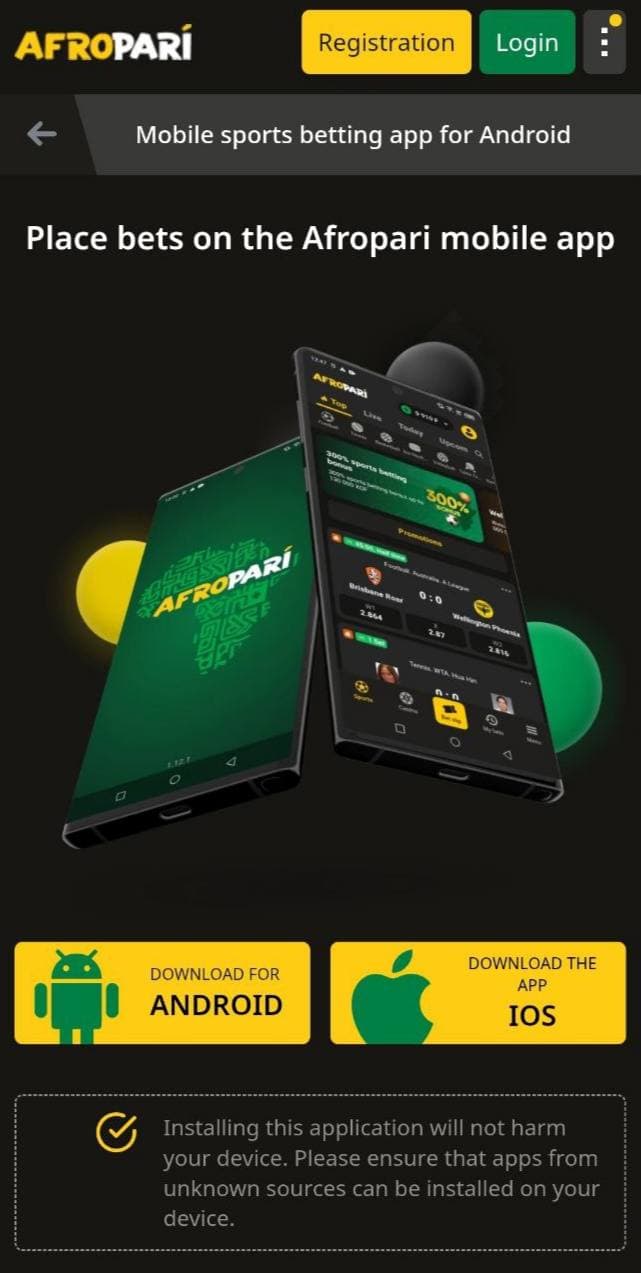
To use the Android app, you’ll need to download it directly from the official website, as it's not available on Google Play.
Follow these steps:
- Go to your Settings > Security
- Enable “Install from unknown sources”
- Open your browser and visit Afropari
- Scroll down to the App Download section or check the top right corner of your screen
- Tap Download for Android
- Open the Downloads folder and install the APK
- Once installed, launch the app and log in
For iOS users, they can install Afropari’s PWA.
Here's how:
- Open Safari on your iPhone and go to Afropari.
- Once the site loads, tap the Share icon (a box with an upward arrow at the bottom).
- Select Add to Home Screen.
- Tap Add in the top-right corner to confirm.
The app will now appear on your iPhone’s home screen like a regular app.
How to Join Afropari
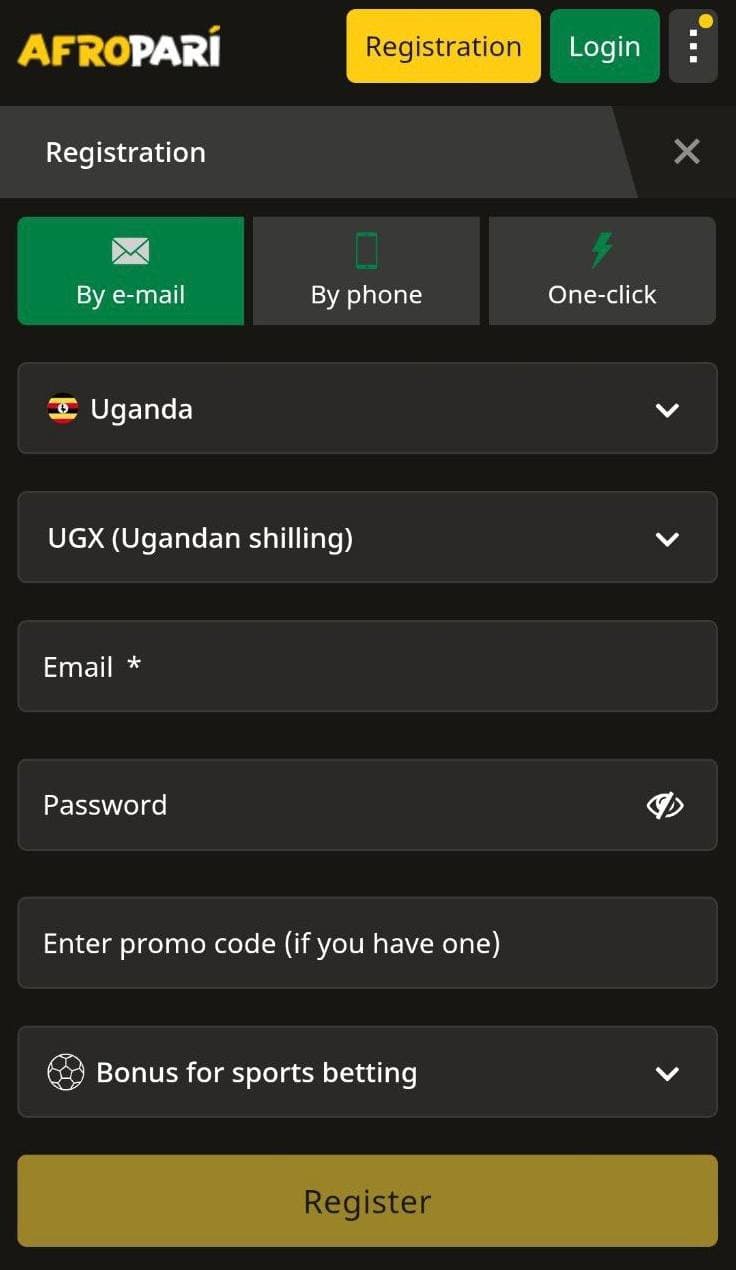
Creating an account on Afropari is beginner-friendly and can be instant or take at most three minutes, depending on the registration method you use. Here’s a simple step-by-step guide:
- Open your browser and go to Afropari.
- Click on the yellow Registration button at the top of the homepage.
- Choose a registration method:
- By Email
- By Phone
- One-Click
- Provide the requested information.
- Pick a welcome bonus offer that suits your betting style.
- Accept the terms and conditions.
- Click Register to submit your application and create your account.
- Check your email or SMS for a verification code and complete the process.
Can't Access Afropari? Try This
If you’re struggling to access your Afropari account, be assured that most issues are minor and can be fixed quickly. From our experience, these are some of the most common problems bettors face and how to resolve them:
- Forgotten Password: This is the most common issue. Click Forgot your password? on the login screen, choose the phone or email option for password recovery, and follow the steps to reset your password securely.
- Incorrect Login Details: Double-check that you're using the correct email, ID, or phone number. Case-sensitive passwords and auto-correct errors are also issues to watch out for.
- Verification Not Completed: If your account wasn’t fully verified during registration, you might face login issues. Revisit your email or SMS to complete the verification process.
- Account Locked: Too many failed login attempts may result in temporary account locking. In this case, it’s best to wait a few minutes before trying again.
- Cache or Cookie Errors: Sometimes, browser issues can prevent proper login. Clear your cache or try logging in through a different browser or device.
- Account Blocked: In rare cases, accounts may be blocked for violating terms. If you believe this is a mistake, reach out to support for resolution.
How to Update Your Info
A user-friendly interface on both the website and the mobile app makes it easy to manage your Afropari account. Once logged in, users can enjoy a full range of features to keep their account details up to date and track betting activity.
Here’s what you can do from your personal account:
- Edit Personal Details: Update your profile information, including password and contact details, anytime.
- Check Your Balance: Instantly view your account balance, available bonuses, and pending withdrawals.
- View Bet History: Get swift access to your past wagers to help track patterns and performance.
- Withdraw Funds Fast: Use local or international payment options with no withdrawal fees and low minimum limits.
- Monitor Live Odds & Scores: Stay updated in real time with changing odds and match scores.
- Customize Settings: Adjust notifications, language preferences, or security settings with ease.
- Access Live Events: Enjoy a large selection of live sports and casino games directly from your dashboard.
Technical Support for Afropari Users
If you ever face issues while using Afropari, there's a solid support system ready to help. Customer service is available through multiple channels for timely assistance.
Here are the main ways to reach support:
- Live Chat: This is the fastest option. It is available directly on the website and connects you with a support agent in just a few minutes.
- Email Support: For non-urgent queries, send a message to support-en@afropari.com.
- Contact Form: Submit your message through the contact form on the Contacts page.
- Callback Request: You can leave your number for a callback – though based on our experience, this method may be slower than others.
Support is available 24/7, making sure that bettors can get help whenever needed – whether it's about your account, login issues, or bonus claims.
FAQ
How do I log in to my Afropari account?
Visit Afropari, click on the Login button, and enter your email, phone number, or username/ID along with your password. Once submitted, you’ll be directed to your account where you can start betting right away.
Can I log in to my account via the mobile app?
Yes, you can. Open the app, tap the Login button, and enter your registered details. The app supports autofill for returning users – this makes the sign in process faster and more convenient on mobile.
What should I do if I encounter a login error?
First, double-check your credentials. If the issue persists, click Forgot Password? To reset it. You can also clear your browser cache or try signing in via the app. Contact support for assistance if these do not solve the problem.
How many accounts can one user create?
Each user is allowed only one account. Creating multiple accounts with the same personal information is against platform rules and may result in account blocking or restrictions.
Who should I contact if I am unable to log in?
Reach out to support-en@afropari.com for login-related help. Alternatively, use the contact form on the website. Live chat is also available for quicker resolution of urgent issues.
- New Sportsbook Bonuses
- 1xBet New Player Bonus
- Paddy Power Sign-Up Bonus
- How Melbet Bonuses Work
- Betwinner Bonus Terms and Conditions
- 1xBet Promo Code for New Users
- Using a Promo Code at 1Win



