


How to Log In to Your Paripesa Account


The Paripesa login process is designed to be secure, user-friendly, and very speedy. The bookmaker provides three distinct login options for users, and you can use all of them no matter where you're signing in from. However, some sign in methods aren't available in some regions, so you need to research what you can use in your country before attempting to log in.
Thankfully, we've spent quality time trying out all the ways to login to Paripesa so you don't have to. You'll find easy-to-follow instructions in this in-depth guide. Additionally, we've included common problems and the solutions.
Step-by-Step Paripesa Login
Before you start the process of logging in to your account, you have to decide what method you're using and know if it's available in your country. The good news, though, is that whether you choose to login Paripesa through the website or the mobile software, you can use any of the sign-in options. Let's give you a quick rundownof each method below.
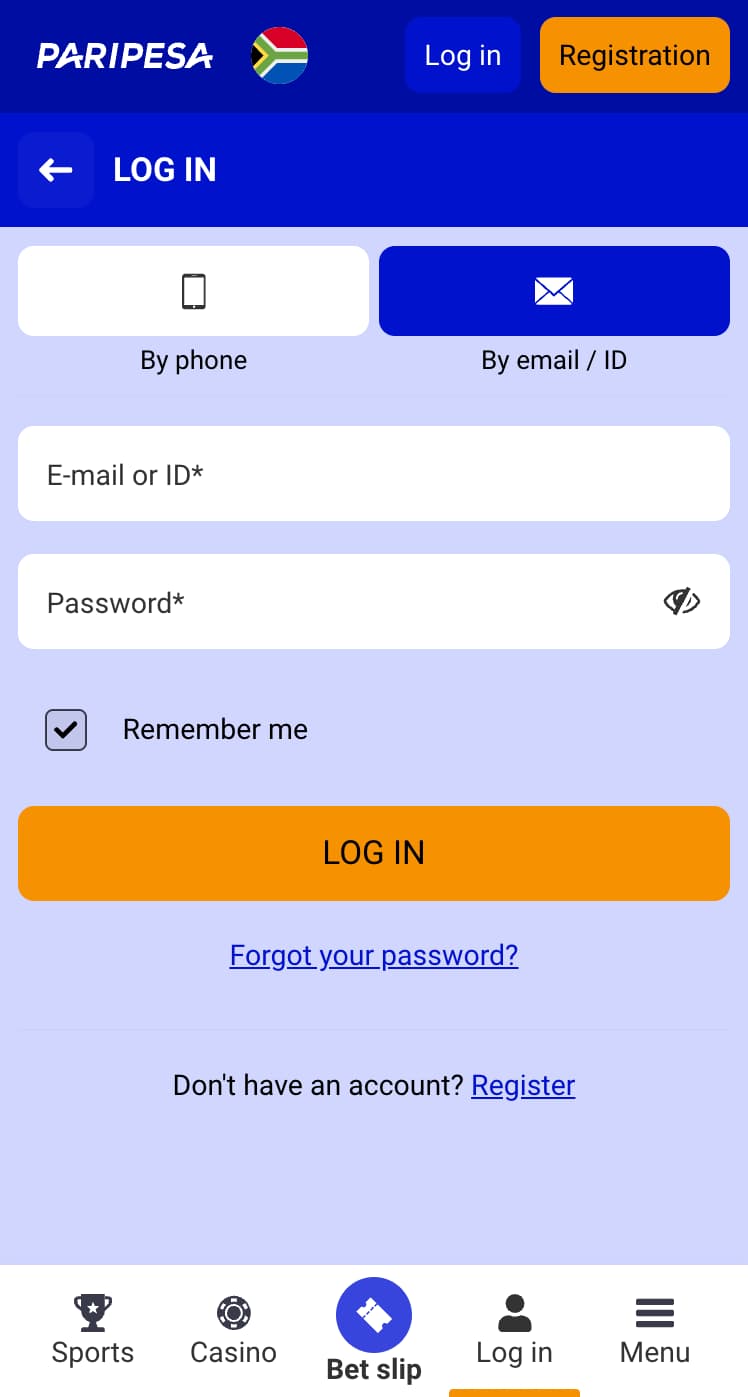
Sign In Using ID or Email
The Paripesa bet login with email or user ID is the most common method, as most people are already used to it. Most importantly, it's available everywhere. So, even if you're attempting the Paripesa login from Uganda, you can use this option by doing this.
- Open the website on your mobile or desktop browser
- Navigate to the Log In page
- Choose the Email/user ID option which is usually the first on the page
- Enter the authentic information, and you'll be able to start playing
Phone Number Login Guide
It's best to use the phone number log in option here if you used it during registration. This means that your number is already verified and linked to your account. If you've done this, here's how to sign in.
- Go to the official site on your phone or PC
- Click on the Log In icon at the top of the page
- Pick the second option of signing in with your phone number
- Enter your digits with the right country code. So say you're doing the Paripesa login from Nigeria; the correct format is +234 before your number
- Provide your password to get signed in
Sign In with Social Media
We love to see a convenient login with a social media option at an online bookmaker. This process doesn't require you to provide any credentials, but first, you need to link your social media account of choice with Paripesa before attempting to use this. Sadly, it isn't always available for all countries. However, for supported regions, it doesn't matter whether you're trying to do the Paripesa login in South Africa or somewhere else; Google, Facebook, and Telegram are always available. Do this:
- Launch the website from your browser
- Choose Log in on the homepage
- Go to the final option of social media sign-in.
- Pick any social media account that you've linked to Paripesa
- Give the authorization to log in, and you're good to go
Logging In on the Paripesa Mobile App
This sportsbook provides fantastic Android and iOS apps for its mobile lovers, and it's easy to download them by following the instructions on the website. The Paripesa mobile login is straightforward once you have the software installed on your device. These are the steps:
- Open the application and wait a second for it to load
- Select the most convenient sign in method
- Follow the appropriate steps as outlined in the sections above
- Start playing immediately
Registration Process on Paripesa
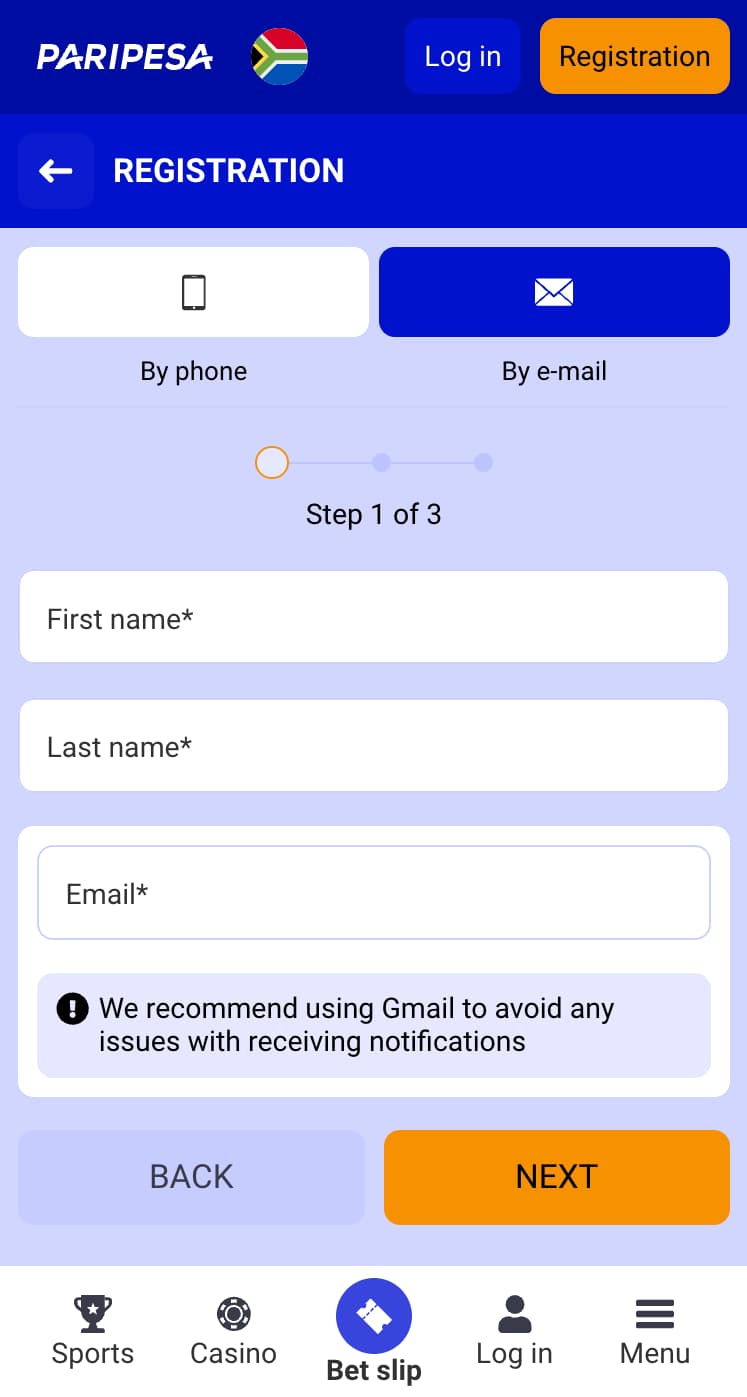
The first step before you try the Paripesa bet login is registration so you have a functioning account on the online betting site. We're happy to inform you that you can use any of these sign in options to register as well. Once you're on the site homepage, choose Join at the top and follow the instructions. It's that simple.
Solve Login Errors Quickly
It can be frustrating when you run into problems while logging in to your account. Thankfully, most of these issues can be rectified quickly even if you're somewhere remote or doing the Paripesa login from Kenya. We've explained quick fixes for the commonest of login errors below.
Incorrect Username or Password
If you've misspelled your username or password, you'll most likely get this error message. First, check that your spellings are correct or if you're mixing up passwords. If you are, initiate password recovery with the Forgot Password icon.
Why Was My Account Blocked?
Account blocking happens when you've tried to login too many times with wrong credentials. Some other times, it's because you're engaging in frowned upon practices in your betting account. Only the support team can resolve this, so shoot them a quick email to regain access to your Paripesa account.
Can’t Remember Your Password?
When you can't access your dashboard because you can't remember your password, your best bet is to use the Forgot Password button to do a password change. A reset link will be sent to your registered email or a code to your number, then you can set a new one.
Login Page Won’t Open
Poor connection is typically the culprit when you encounter this problem while signing in to your personal account. Get a stable connection and try again. If the issue isn't resolved, then try clearing your browser's cache as this can be responsible sometimes. Reach out to the service team if none of these work.
Get Help with Login Issues
Despite your best efforts, you may not be able to resolve some sign in problems that you'll encounter on your own. In such cases, Paripesa’s team of well trained support agents are always available to help. These are the channels that you can reach them through:
- Live chat which is accessible on your dashboard
- Email them on Support-en@paripesa.com for general and technical support. For security issues, use security@paripesa.com
- The Help Center has answers for frequently asked questions
FAQ
How do I log in to my Paripesa account?
Start by first registering an account with the bookie. Then, you can use the Log In button on the homepage to access the various sign in options. Pick the one that suits you and complete the steps to login.
Can I log in to Paripesa using my ID or email address?
Yes, you can. It is the first method on the sign in page. Kindly ensure that you don't misspell anything when using this option, or you might encounter a wrong password error message during the process.
Can I save my login details for quick access?
If you're logging in through a personal PC or mobile device where your Google account is signed in, then yes, you can save your details. Google will automatically bring up your saved information each time you start the login process.
How do I log in to Paripesa via the mobile app?
First, you need to have the application installed on your phone. Just launch the software, and follow any of the sign in steps that we've detailed in this guide to start playing.
What should I do if I haven't received a confirmation email after registering?
If you haven't received a confirmation email, it's probably because you entered a wrong email address, or you're in a place with poor network coverage. Please use your correct email address and move to a different location to receive the confirmation. If this fails, contact the customer service team.
- New Sportsbook Bonuses
- 1xBet Offers for New Players
- Paddy Power Sign-Up Bonus
- Melbet Welcome Offer
- Betwinner Bonus Terms and Conditions
- 1xBet New User Code
- Using a Promo Code at 1Win



