


Parimatch Log In to Account


After completing all the necessary steps to register your account, the next thing you should learn is how to initiate and finish the Parimatch login process properly. The bookmaker has lots of fun and exciting offerings for both casino gamers and sports bettors, but you must know how to access your account first before you can enjoy these offers.
The process is simple, as you'll see from this article, and there is more than one way to sign into your dashboard. You'll learn how to use all the available methods and also what you can do in the bookmaker settings. Also, you may encounter slight problems while signing in, and this article has the answers you've been looking for.
How to Sign In on Parimatch
The options you can choose from when you want to complete the Parimatch login from India include mobile number, account ID, and the more popular email method. Our experts have confirmed that it's not complicated, and that the entire procedure is safe. You can complete it from the website or using the available mobile application.
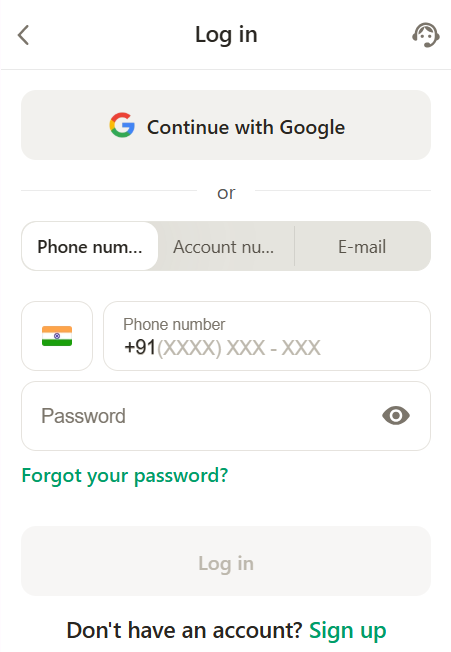
Log In Using Mobile Phone
If you would like to use the phone number option on Parimatch to log in, be certain that it was the same method you used to create your account first, and then you can proceed to do this:
- Visit the official website, or open the Android app/iOS PWA on your device
- Select the Log In button at the top of the welcome page
- When the form comes up, enter your correct Indian mobile number and your password
- Give the authorization to enter your account and begin betting
Use Account ID to Log In
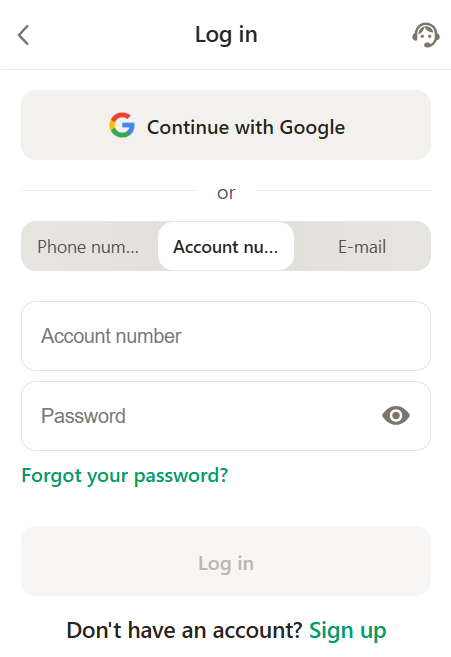
This method can be used if you completed registration using email and those who used their phone number. You must memorize the unique ID you'll find on your dashboard after signing up if you want to use the account ID option on Parimatch to sign in. The procedure is as follows:
- Launch the bookmaker's site on your phone or PC
- Tap on Logs In when it loads
- In the form, enter your account ID and password
- Sign in to your personal account and explore the offerings
Email Login Method
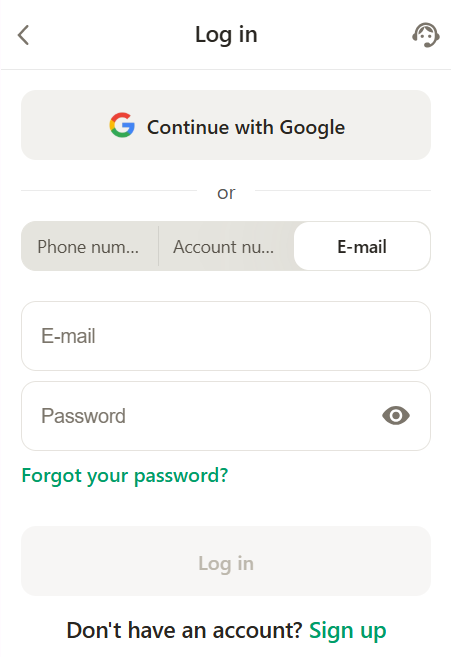
Any regular online sports bettor probably knows how to use this logging-in option like the back of their hand. If you want to complete the Parimatch login online using email, do this:
- Go to the login page on the website or on mobile
- Enter your email address and password on the form
- Sign in and start betting
Log In via Parimatch Mobile App
Mobile bettors will find that the Parimatch app login process mirrors that of the website both on the Android application and the iOS PWA. The only major difference is that you don't need to open your mobile browser and visit the Parimatch official website to login. Instead, just do this: The APK file can be downloaded from the website. For iOS, you can add a web application only from the website.
- Tap on Parimatch's icon on your phone's app menu
- Navigate to the Log In page when it opens
- Choose from phone number, email, or account ID, and enter the required credentials
- Enter your dashboard to start playing
First Time Using Parimatch?
If you're just a new bettor trying to complete the Parimatch login via the official site or software, you must have registered an account first, or all your attempts will fail. You can complete the signing-up process using your phone number or email by tapping the Register button on the bookmaker's homepage. Just follow the prompts and instructions on the screen, and you'll be done in 3 minutes max.
Account Settings and Options
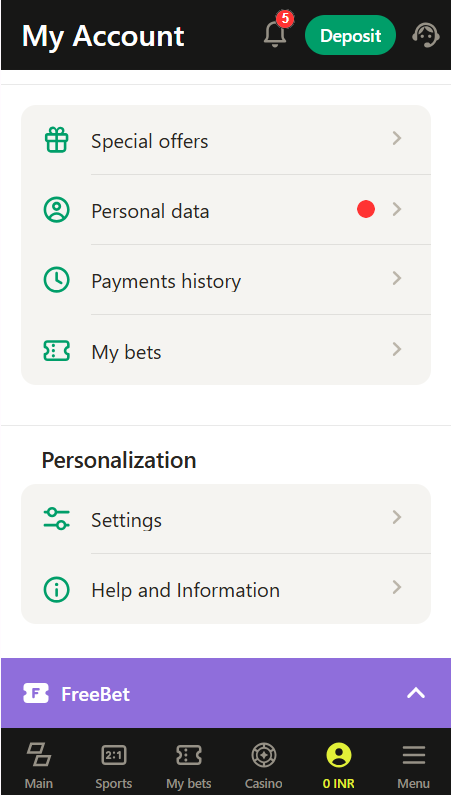
Once you've logged in to the sportsbook, you can easily manage your Parimatch account by making some changes or setting things up so that you can enjoy the best betting experience. Some of the simplest things you can do after you login to the Parimatch official website or application are:
- Update your profile details by changing your password or entering missing pieces of personal information. You can do this by navigating to the settings section and going to your profile to add, remove, or change the details you want to.
- Check your balance and cashout funds from the cashier page of the bookie, which you'll find in the drop-down menu. You'll find that the withdrawal process is fast and secure.
- Verify your identity by completing the compulsory KYC verification exercise on the bookie. You must complete this step by visiting the settings section and following the instructions in the verification tab before you can withdraw from the bookmaker.
- Check bet history easily to keep track of your wagering activities on the sportsbook
- Fund your betting wallet by visiting the cashier section, where you'll find all the payment options that the bookie supports.
Parimatch Login Not Working?
It isn't uncommon to encounter a Parimatch login problem every now and then. You may be making a simple mistake, or the betting site might be having technical problems, and this will lead to issues logging in. We've looked into the recurring problems and offered quick solutions below.
- Incorrect password
Typing in a wrong sequence of characters in the password box can lead to this error message. If you seem to have forgotten your login key, use the Forgot Password button to start the password recovery process.
- Wrong user ID/password
Your user ID is a combination of numbers that is unique to you, and you can sign in using it. But if you forget it or type it in wrongly while signing in, the attempt will fail. Try switching to your email or phone number to resolve. If the error message persists, initiate a password change and try again.
- Account blocked
Account blocking happens due to many failed attempts to log in in one session. The customer service team will offer you assistance and solutions if you find yourself in this situation.
- Website/app down
Technical issues are rare in this sportsbook, but they occasionally happen, especially on the website, and you have to patiently wait till they resolve to continue betting. If the APK refuses to open, try updating it via the official site.
Need Help Logging In?
If you're experiencing any issues with the Parimatch India login process, contact customer service via:
- FAQ page
- Live chat
- Email at support@parimatch.pro.in
FAQ
How can I log in to my Parimatch account?
First, you must visit the bookie's website and click on the Log In button. Next, select your sign-in method, enter your email/account ID/phone number and password, and you're in.
How can I access my account using the Parimatch app?
After downloading the Android APK or installing the iOS PWA for this sportsbook, just tap Parimatch’s icon on your device, go to the Sign In page, and follow the instructions to enter your dashboard.
Why does the login to my Parimatch account fail?
Your attempts to log in might fail because you're using a wrong password or email, or because the bookmaker has some technical issues.
How can I secure the login process for my Parimatch account?
You don't need to go any extra steps to secure your login process here because the bookmaker has already ensured the security of the procedure by using SSL encryption for the site and app.
What steps can I take if access to the linked email or phone number is lost?
The first step is to inform the customer support team so they can remove the list email and mobile number from your account. Then you can add new ones or sign in using your account ID.
- New Sportsbook Bonuses
- 1xBet Bonus Offers
- Paddy Power First Deposit Offer
- Melbet Bonus Terms and Conditions
- Betwinner New Player Bonus
- 1xBet Offer Code
- How to Activate a 1Win Promo Code



